
3DICOM Mobile app
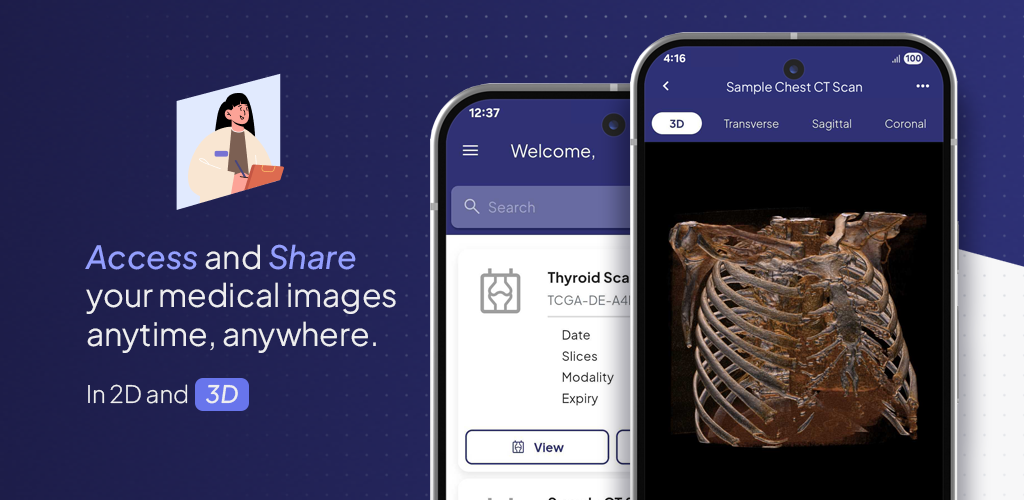
Access your medical images, anywhere, anytime using one of the 3DICOM Mobile companion apps for Apple (iOS) and Android devices.

3DICOM Mobile app for iOS
included with all 3DICOM licenses
Bring your medical imaging to life on iOS with the 3DICOM Mobile app. Instantly convert standard 2D CT/MRI scans into interactive 3D models on your iPhone or iPad, giving you the freedom to explore and share your anatomy anytime, anywhere, with a portable, user-friendly DICOM viewer.

3DICOM Mobile app for Android
included with all 3DICOM licenses
Instantly convert 2D medical imaging, such as CT and MRI scans, into immersive 3D models on your Android smartphone or tablet. Securely store your medical imaging records for access anytime and anywhere and share your medical imaging records on the go.
Trusted by our partners






Convenient Access
ACCESS 3D medical imaging on-the-go using 3DICOM Mobile app for Apple (iOS) and Android.
Access, view, and share your medical imaging anytime, anywhere with 3DICOM Mobile—bringing 3D visualization and secure sharing to your Apple or Android device.

Unlock unparalleled access to your medical imaging.
Gain unparalleled access to your medical imaging with 3DICOM Mobile. This intuitive DICOM viewer places your medical scans in your hands, allowing you to view and explore your imaging anytime, anywhere on Apple (iOS) or Android devices—making it easier than ever to stay connected to your health information.
Share your medical imaging fast and securely with a single touch.
With the 3DICOM Mobile app, you can confidently manage your medical imaging and take control of your healthcare journey. Instantly share your imaging securely with your GP or healthcare provider whenever needed, all with a single touch on your iOS or Android device.
View your 2D medical scans in interactive 3D, on the go.
Open and view interactive 3D models of your anatomy with just a few taps with the 3DICOM Mobile app for iOS and Android.
With 3D vizualization in your pocket, you can explore your medical imaging to gain a deeper understanding of your condition, anywhere, anytime, from the comfort of your personal device.
Frequently Asked Questions
You’ll find answers to some of our most common questions below, to help you understand how the 3DICOM Mobile and XR add-ons can enhance your medical imaging experience.
What is the 3DICOM Mobile App used for?
3DICOM Mobile App is a versatile application available for both Android and iOS devices, designed to make medical images such as CT, MRI, and PET scans accessible in detailed 3D directly from your mobile device. Whether you’re a patient seeking to better understand your health, a medical professional needing to review scans on the go, or a student learning about anatomical structures, the app provides the convenience of accessing and interacting with medical images anytime and anywhere.
I have an Apple device, how do I download the 3DICOM Mobile App for iOS?
You can download the 3DICOM Mobile App for your iOS device by accessing the Apple App Store, directly from your iPhone or iPad. Simply search for “3DICOM Mobile”.
I have an Android device, how do I download the 3DICOM Mobile App for Android?
You can download the 3DICOM Mobile App for your Android device by accessing the Google Play Store, directly from your mobile phone or tablet. Simply search for “3DICOM Mobile”.
Is the 3DICOM Mobile app free to use, or are there any costs involved?
While the 3DICOM Mobile App is available at no cost on the Google Play Store and the Apple App Store, please note that logging in requires an active subscription or license to one of 3DICOM’s software tiers—Patient, MD, or EDU. This ensures full access to the app’s features and functionalities.
Can I use the 3DICOM Mobile App to share my images with my doctor?
Yes, the 3DICOM Mobile App includes features that allow you to share your medical images securely with your healthcare provider, facilitating better communication and consultation.
Do I need internet access to use the 3DICOM Mobile App?
To fully utilize the 3DICOM Mobile App, an internet connection is required. This connectivity enables you to access and share your medical images with your healthcare providers and receive the latest software updates, ensuring you have access to all of the app’s interactive and collaborative features for the best possible experience.
For how long do my scans remain accessible, and what options are there to extend the storage of my medical images?
Scans shared with you, or uploaded from the 3DICOM web, desktop, and/or mobile applications are typically only available for download for 7 days. To access your scans beyond this period, you can toggle on Long Term Cloud Storage for each scan to store them in our secure, HIPAA-compliant servers.
What features does the 3DICOM Mobile App offer?
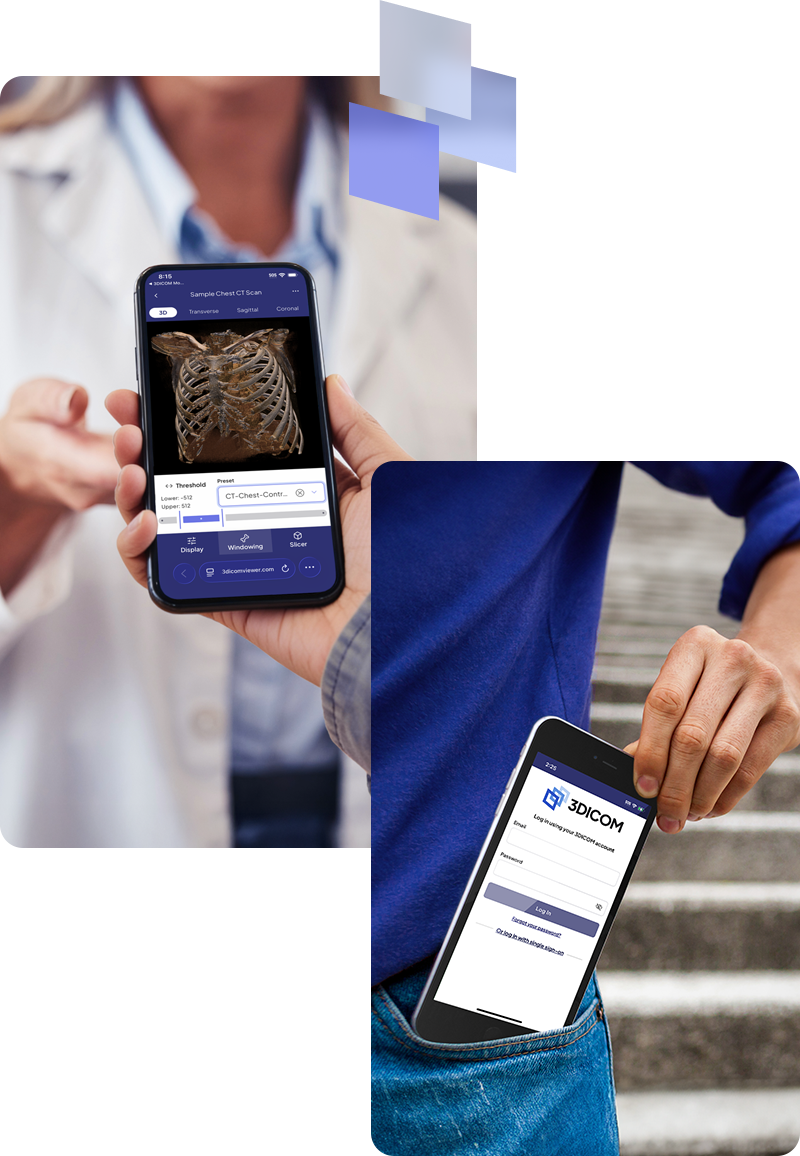
The 3DICOM Mobile App for iOS and Android offers advanced 3D image viewing capabilities. Features include intuitive display settings and manipulation tools such as zoom, rotate, and pan. It also provides HU windowing/density slider adjustments to differentiate between bone and soft tissue. Additionally, the app includes a slicer tool that allows you to cut along Transverse, Sagittal, and Coronal planes, enabling you to reveal or remove specific sections of the model for detailed examination.
How do I upload my medical images to the app?
To view your CT, MRI, or PET scan images in 3D on your mobile phone or tablet using the 3DICOM Mobile App, you first need to upload the DICOM files to the 3DICOM web dashboard. These files are usually provided by your doctor or medical imaging center. In some cases, your consulting healthcare provider may have already uploaded the files for you. If you have received the files directly and are unsure what to do next, simply upload them to the 3DICOM web dashboard. Once uploaded, the files will sync automatically to your device, allowing you to access them through the app. For further support, you may refer to the number of getting started guides within our product Knowledge Base.
What should I do if I encounter problems using the app?
The app features a dedicated support section that connects you to the 3DICOM Mobile section of the Knowledge Base. Here, you’ll discover an array of helpful guides and informative articles designed to help you overcome any challenges and fully leverage the capabilities of the app. If further assistance is required, you can submit a support ticket, so one of our team members can assist.

Unlock the full value of your medical imaging
Sign up today or try the FREE demo to experience the difference for yourself.
Disclaimer: The 3DICOM Mobile App for Android and iOS is NOT a Medical Device and is intended for visualization and educational purposes only.